
Lot of times developers complain that while running an iOS app in Xcode, the app crashes and the console doesn’t show anything to help them finding the error.
A simple but very efficient tip for those situations is to add an exception breakpoint to xcode. In a lot of cases it will point the exact line where an exception occurs.
To add an exception breakpoint, follow the steps:
1) At breakpoint navigator, click the “plus” button and “Add Exception Breakpoint…”

2) Click “Done” in the Exception Breakpoint window
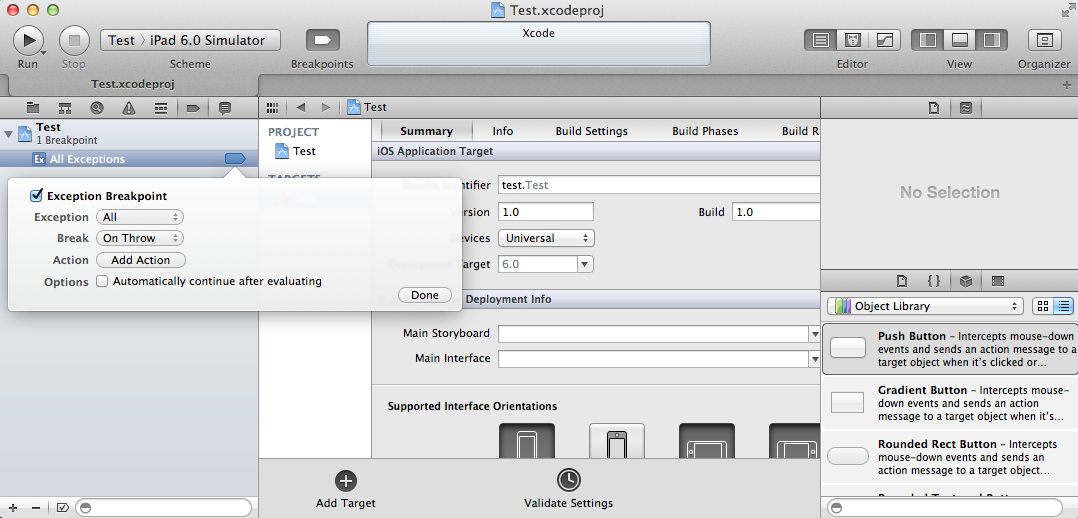
That is all you have to do. Hope that helps!
More info:
http://samwize.com/2012/09/26/xcode-4-dot-5-tips-and-tricks/
http://www.tekritisoftware.com/exception-breakpoint-xcode4.2-iphone-development
 jchahoud.com